Place Your Order
Pay below and we’ll process your photo and send delivery details by email. Have questions? Contact us or check the FAQ.
Pay Below
PayPal, Venmo, or Zelle. Select package & delivery method.
›Pick Up or Receive
Same-day store pickup, email delivery, or USPS mail.
💳 Pay with PayPal
Select your package and delivery method, then click the PayPal button. No PayPal account required — you can pay as a guest with any card.
| Package |
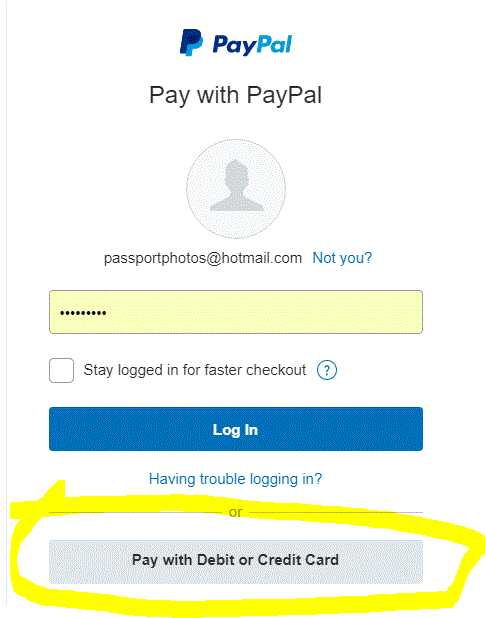
🔒 Secure checkout via PayPal. No PayPal account needed — click “Pay with Debit or Credit Card” on the PayPal page to check out as a guest.
🚀 Pay with Venmo or Zelle
Pay directly and save a few dollars vs. PayPal fees.
Send payment with your order details in the note
Include your photo type and delivery preference
❓ No PayPal account? How to pay as a guest
After clicking the PayPal button, look for “Pay with Debit or Credit Card” or “Don’t have a PayPal account?” on the PayPal page. Enter your card details there to check out without creating an account.
Need a Digital Image for an Online Application?
Select “Digital Image Only” or “Digital + Printed” in the package dropdown above. We handle all of these:
Questions before ordering?
Call or text us:
(818) 264-5952

